
The 30-Day Album: A New (Free) Way to Collect Everyone's Holiday Photos

Think about last Thanksgiving for a second.
How many people in the room took pictures? Your sister got the kids at the table. Your uncle got a blurry one of the turkey. Somebody's teenager took forty photos of the dog. Grandma asked three different people to "send me that one."
Now, how many of those photos have you actually seen?
For most families, the answer is "a few, in a group text, that I can't find anymore." The photos exist. They're just scattered across six phones and nobody has them all.
This is one of the most common things I see in photo organizing. The problem usually isn't that people take too many pictures. It's that the pictures never end up in one place. Holiday photos are easiest to collect the week of the holiday. After that, they spread out and stay spread out.
So this year, set up the collecting before anyone picks up a phone.
Pick one person to be the collector
Every family gathering needs one person who owns the photos. Not the photographer. The collector.
Their job is small. Make the album, send the link, and remind everyone once. That's it.
If you're reading this, it's probably you. (That's usually how it works. We wrote a whole post about the family historian who didn't ask for the job.)
Make the shared album before the holiday
Do this a day or two ahead, not at the table. Name it something everyone will recognize, like "Thanksgiving 2026, Mom's House."
If most of your family has iPhones:
Use a shared album in the Photos app. Apple changed how these work this fall with iOS 27, and the changes matter for a big family weekend:
- You can now turn on Make Album Temporary when you create the album. A temporary album lasts 30 days, holds up to 5,000 photos and videos, and doesn't use your iCloud storage.
- A regular (non-temporary) shared album made on iOS 27 now keeps photos at full resolution. The tradeoff is that everything people add counts against the album owner's iCloud storage.
- Older shared albums made on iOS 26 or earlier still shrink photos down. If you've always wondered why the shared album photos looked a little soft when you printed them, that's why.
- You'll find it in Photos under Collections, then Shared Albums. Apple's temporary shared album instructions walk you through it on iPhone, Mac, and iCloud.com.
If your family is a mix of iPhone and Android:
Relatives without an iPhone can still add photos to a regular shared album on the web, no Apple account needed. A Google Photos shared album is usually the easier path, since the app works on both. Create the album, tap Share, and send the link to the family group chat.
Before the big day, have one relative test adding a photo so you find out about any sign-in hiccups at home instead of over pie.
Either way, send the link before people arrive. A link that shows up on Wednesday night gets used. A link that shows up the following Tuesday gets ignored.
Give one reminder, at the right time
Here's what works: one reminder, sent the evening of the holiday or the next morning. Something like:
"If you took any pictures today, drop them in the album! Even the bad ones."
The "even the bad ones" part matters. People hold back photos because they think they're not good enough. But the candid, slightly blurry one of Grandpa laughing is often the one you'll care about most in ten years. You can sort later. Right now you just want everything in one place.
A shared album is where photos arrive, not where they live
This is the part most families miss, and it's the reason I wanted to write this post.
A shared album is a collection point. It's a great way to get everyone's photos together. But it isn't your family archive.
If you used a temporary album on an iPhone, it really does disappear after 30 days!! Apple's own instructions say any photos not saved to your library will be deleted. So mark your calendar.
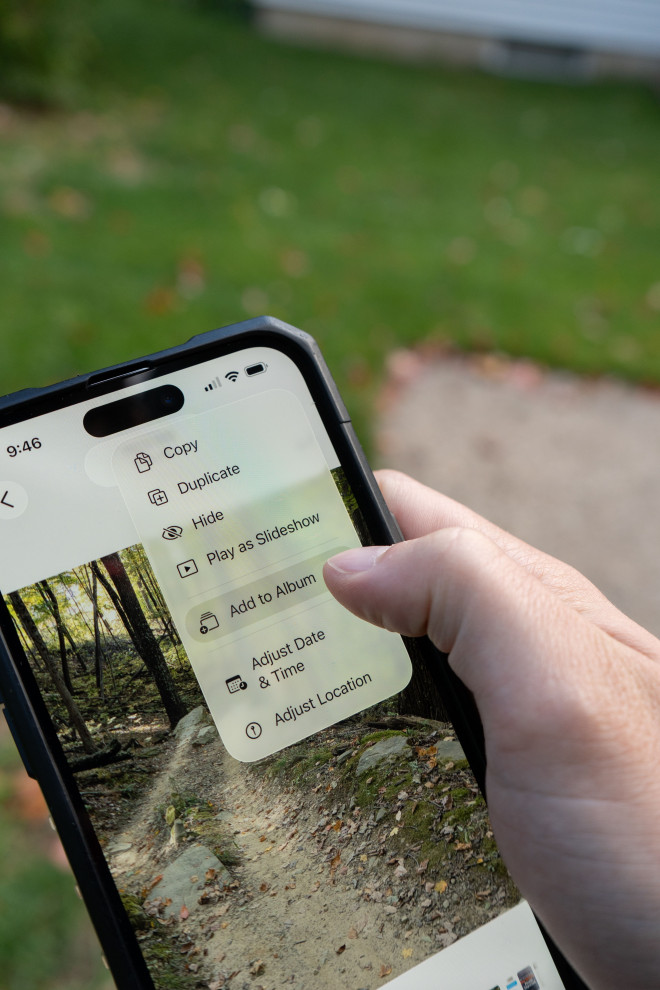
Before the album expires, save the photos you want into your own library. In the album, you can tap the three-dot menu and choose Save All Shared Items, or select just your favorites and tap Save to Library.
Even with an album that doesn't expire, I'd still move your keepers into your own library. Albums get deleted. People leave. Accounts change. The photos you care about should live somewhere you control and back up.
Do a 15-minute cull while it's fresh
Once everything is saved, sit down for fifteen minutes. That's it. Not an afternoon.
- Delete the obvious misses: closed eyes, accidental pocket shots, the twelve nearly identical photos of the dog.
- Favorite your top ten or so.
- Put those favorites in an album with the year in the name.
Fifteen minutes in November saves you hours in some future January when you're trying to figure out which Thanksgiving had the new baby in it.
Then do something with the best ones
Photos that only live on a phone tend to get buried. Here are a few easy ways to keep the good ones in circulation:
- Use them for your holiday cards. December is right around the corner.
- Print a handful. Even five prints in a frame or a small album beat five hundred on a phone. (Here's our post on why printed photos matter.)
- Send them to the people who don't do albums. Grandma who asked for "that one"? Print it and mail it, or bring it to the next visit.

While everyone's together, don't forget the old photos
If you're already gathering family photos this year, it's a great time to bring out the old ones, too. New photos in the shared album and old photos on the table. That's a pretty good holiday.
The bottom line
The holiday photos you'll want someday are being taken right now, on everyone else's phone.
Pick a collector. Set up one shared album before the holiday. Send one reminder. Then save the keepers to your own library before the album goes away.
And if you've got years of holidays already scattered across phones, old computers, and shoeboxes, that's exactly what our certified photo organizer helps with. Learn more about our photo organizing services, or call us at (716) 248-8610.
Quick answers
What's the easiest way to collect family photos from a holiday?
Pick one person to create a shared album before the gathering, send the link to everyone ahead of time, and send one reminder afterward asking people to add every photo they took.
What is a temporary shared album on iPhone?
Starting with iOS 27, you can turn on Make Album Temporary when you create a shared album in Photos. Apple says it lasts 30 days, holds up to 5,000 photos and videos, and doesn't use your iCloud storage. Photos not saved to someone's library are deleted when they expire.
Do iCloud shared albums reduce photo quality?
Shared albums created on iOS 26 or earlier reduce photos to 2048 pixels on the long edge. Shared albums created on iOS 27 or later keep full resolution, and their contents count toward the owner's iCloud storage.
What should I use if my family has both iPhones and Androids?
A Google Photos shared album is usually the simplest option for mixed families, since the app works on both. Test adding a photo with one relative before the holiday.