
Who's in This Photo? Bring Old Family Pictures to Thanksgiving
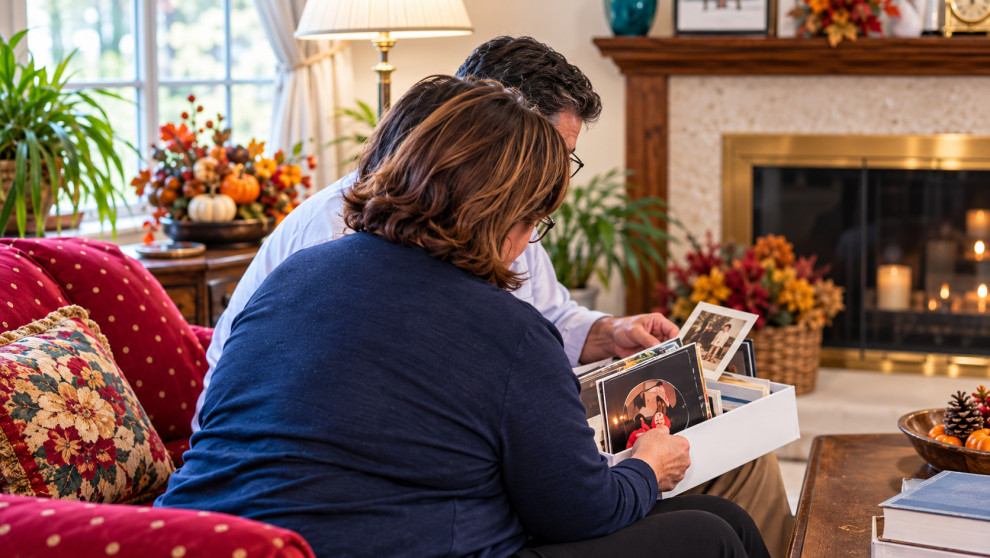
There's a photo in almost every family's collection that goes like this.
Four people on a porch. Someone's squinting. There's a car in the driveway that nobody has owned since 1974. And on the back, in faded handwriting, it says... nothing. Not a name. Not a year.
Every photo collection I work with has a stack of these. And the people who could tell you who's on that porch are usually the same people sitting at your Thanksgiving table this year.
That's the whole idea of this post. Thanksgiving is one of the few days the relatives who can name the faces are in the same room, fed, and in no hurry to leave. (Pie helps.) Let's use it.
Why this is worth doing now
When I talk with families about their photos, the hardest part is rarely the scanning or the boxes. It's the faces nobody can name anymore.
A photo without a name is still a nice photo. A photo with a name, a place, and a story is family history. The difference is usually one person who remembers and one person who thinks to ask.
If you've ever felt like the family historian chose you, this is one of the easiest, most useful things you can do in that role. It takes an hour after dinner.
Before the holiday: pull a small stack
Don't bring the whole collection. Please. Nobody wants to spend Thanksgiving buried in shoeboxes, and your sister-in-law will not thank you.
Pick 20 to 30 prints. Look for:
- Photos with people you can't name
- Group shots from weddings, reunions, or holidays
- Photos where you know some of the faces but not all
- Anything that makes you think "wait, where was this?"
If the prints are fragile or you'd rather they not get passed around near the gravy, put scans on a tablet instead. You can zoom in on faces, which older eyes tend to appreciate.
A few loose prints in an envelope works too. Small is fine...small actually works better.
After dinner: pass them around and ask open questions
Wait until the plates are cleared and people are settled. Then hand over a few photos and see what happens.
The trick is in the questions. "Do you know who this is?" gets a yes or no. Try questions that open the door instead:
- Who do you think this is?
- Where was this taken?
- About what year does this look like?
- What was going on that day?
- Whose car is that? (Seriously. Cars, houses, and hairstyles unlock a lot.)
One name usually leads to another. "That's Aunt Dot, so this must be the lake house, so that's probably 1962." Let people wander a bit. Some of the best stories come out sideways.
Hit record
You will not remember all of it. Nobody does.
Open the voice memo app on your phone, set it on the table, and let it run. Before each photo, say something simple so you can match it up later, like "This is the porch photo with the green car."
A recording also catches the parts you'd never think to write down. The laugh. The way your grandfather says the name of his old street. Those are worth keeping too.

How to label old photos safely
Once you know who's in a photo, write it down while it's fresh. But be gentle with the print itself.
Here's what the Library of Congress recommends, and what I follow:
- Write on the back, near the edge, with a soft graphite pencil and light pressure. Pressing hard can leave a mark that shows through on the front.
- For glossy or coated prints where pencil won't take, use a photo-safe pen. Look for one labeled as passing the Photographic Activity Test (PAT).
- Never use a ballpoint pen. It can smear, bleed, and transfer onto the photo stacked behind it.
- No sticky notes or tape. Adhesives cause damage over time, even the ones that seem harmless.
- Never write on the front. Ever. (I know it's tempting to circle Uncle Joe. Don't.)
If a photo is too precious to mark at all, write on an archival sleeve or envelope instead.
What to write: names left to right, the place, and an approximate year. "Circa 1960s" is a perfectly good answer.
Don't forget the digital copies!
If you scanned any of these, add the names there too, so the information travels with the file.
In Apple Photos, you can name people that the app recognizes in the People album, and add a caption to any photo. In Google Photos, you can add names to face groups and type a description on the photo. A caption like "Dorothy and Frank Kowalski, Angola, about 1962" will make your future self very happy.
If you want a bigger picture of why this matters, our post on organizing and digitizing printed photos walks through it.
It's okay if nobody knows
Some faces won't get a name. That's fine. Really.
Label it anyway. Write "unknown" plus whatever clues you did get: "Unknown, maybe a neighbor from Lackawanna? Possibly 1950s." Clues add up. Next year, a cousin you didn't expect may look at that note and say "Oh, that's Mrs. Novak."
An honest "unknown" is so much more useful than a blank back.
Get the grandkids involved
Kids are surprisingly good at this, especially when you turn it into a game.
- Detective mode. Give them a photo and ask them to find clues: the car, the clothes, the decorations, and the weather.
- Who looks like who? Have them match old faces to the people at the table. Prepare for some brutal honesty.
- Junior reporter. Let them run the voice memo and ask the questions. Grandparents tend to tell grandkids things they'd never tell the rest of us.
- Then and now. Recreate one old photo with the same people (or their descendants) in the same pose.
It's a nice way to fill that sleepy stretch between dinner and dessert, and the kids walk away knowing a little more about where they came from.
Share what you learned
Within a week or so, while everyone still remembers the conversation, send the results around. A quick group text with a few labeled scans. A shared album. The voice memos, if people want them.
You might also ask everyone a question to keep it going, like the one from our post: What is your favorite photo, and why? It's amazing what comes back.
And if your parents are moving soon, these labeled photos will make the next step much easier. We wrote about that in what happens to all those photos when parents downsize.

If the boxes feel like too much
Sometimes 20 photos turn into "Wait, there are nine more boxes in the basement."
That's where we come in. As a Certified Photo Manager, I help families in Buffalo and across Western New York sort, label, digitize, and preserve their photo collections so the stories don't get lost along the way. You can learn more about our photo organizing services, reach out here, or call (716) 248-8610.
But first, go pick out your stack. Twenty photos. One envelope. And maybe save a seat next to the relative who remembers everything.